Glass configurator
Cut to size, priced live, drawn to scale.
Your customers specify the panel online and see its price and dimensioned drawing together. Your team reviews the specification and supplier rules before releasing it for manufacture.
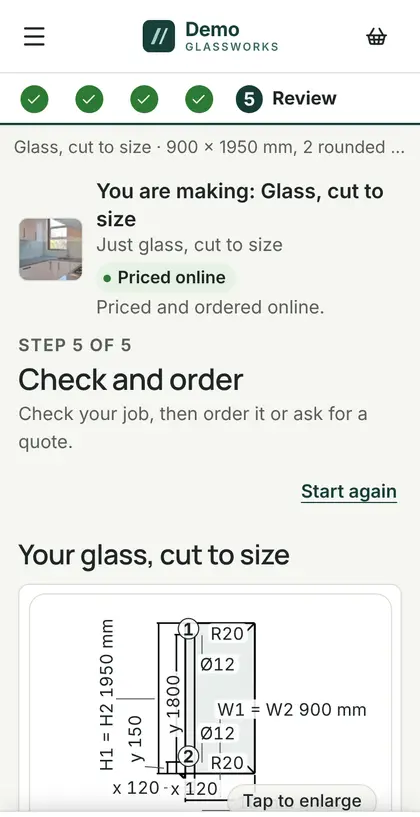
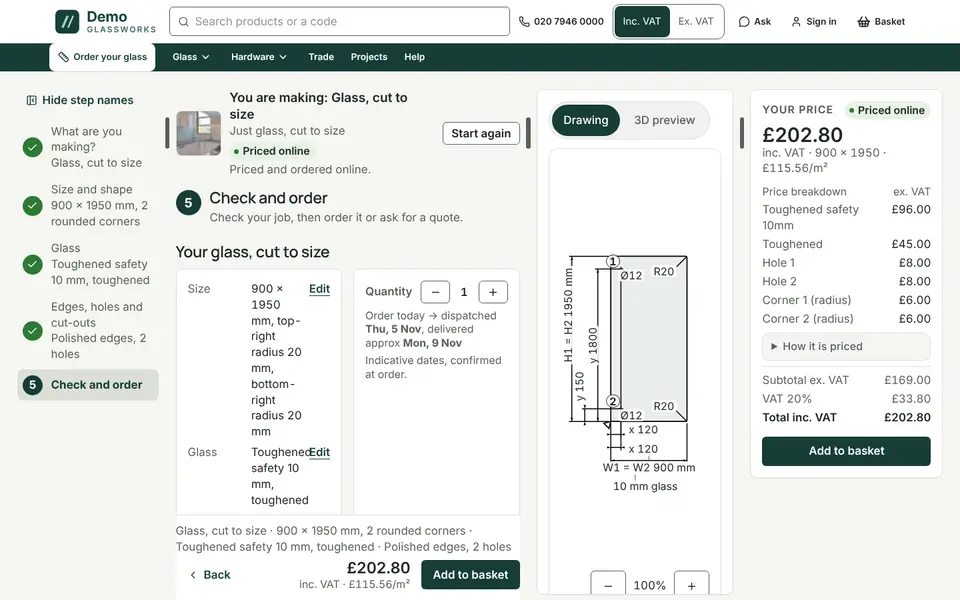
What it handles.
Panels, not just rectangles
Rectangles, rakes and radius corners, with holes, notches and cut-outs placed by dimension.
Edgework and processing
Edge finishes and processing options from your own list, each with its own price rule.
Your price books
Retail customers see retail prices; signed-in trade accounts see trade or their own account prices.
Specified once
One specification, five documents.
The configured panel is a single record used for the price, drawing, cutting ticket, order line and invoice line. Keeping these connected reduces re-entry; revision and production checks still matter before an order is released.
- Price checked again on the server before payment.
- Dimensioned drawing with holes and notches scheduled.
- Cutting ticket for the workshop, plus CSV and DXF piece lists.
- Validation against configured manufacturing rules, such as hole-to-edge limits.
- Optional 3D shower-enclosure preview on higher plans.
Questions
Configurator questions
Can we set our own prices and options?
Does it work on a phone?
Can the counter use it for phone orders?
Book a demo
Put your glass list into it.
A forty-minute walk-through with your catalogue, your prices and your questions. No slides.